Why Free Translation Tools Fail for Business Documents: The Hidden Costs of Google Translate
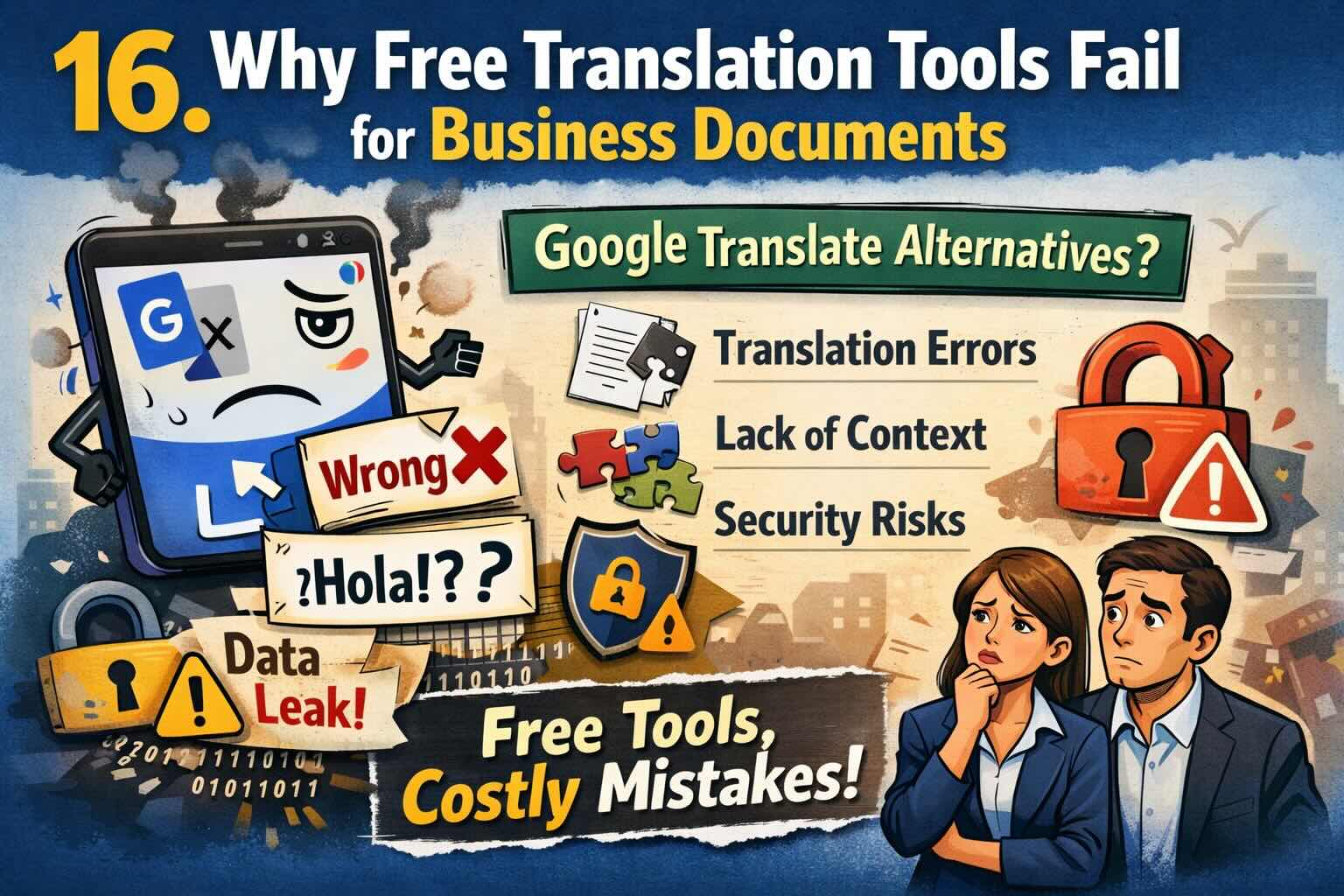
Free translation tools like Google Translate seem convenient, but they can cost your business dearly. Discover the hidden risks of accuracy errors, format destruction, and security vulnerabilities that make free tools unsuitable for professional documents.
Google Translate and other free translation tools have democratized access to basic translation. But when it comes to business documents—contracts, presentations, technical manuals, financial reports—these free tools fail in ways that can cost your company reputation, money, and even legal liability.
Here's why free translation tools aren't suitable for professional business use, and what you should use instead.
The Illusion of "Free"
Free translation tools like Google Translate, DeepL Free, and Bing Translator are incredibly useful for:
- Understanding the gist of foreign language emails
- Reading news articles in other languages
- Quick translations of simple phrases
- Learning basic vocabulary
But for business documents? The "free" convenience comes with hidden costs that far outweigh any savings.
The 5 Critical Failures of Free Translation Tools
1. Accuracy and Context Errors
The Problem: Free tools translate word-by-word or phrase-by-phrase without understanding business context, industry terminology, or nuanced meaning.
Real-world consequences:
- Legal disasters: A mistranslated "can" vs. "must" in a contract changes obligation to suggestion
- Technical confusion: Specialized terms like "API endpoint" translated literally become meaningless
- Financial errors: Numbers, dates, and currency formats frequently garbled
- Cultural gaffes: Idioms translated literally can be offensive or nonsensical
Example of Google Translate failure:
Original English: "Please execute the agreement by Friday."
Google Translate to German: "Bitte exekutieren Sie die Vereinbarung bis Freitag."
Problem: "Exekutieren" means "to execute (kill)" not "to carry out." Correct: "Bitte führen Sie die Vereinbarung bis Freitag aus."
2. Complete Format Destruction
The Problem: Free translation tools only handle plain text. Copy-paste your formatted business document, and watch everything break.
What gets destroyed:
- Document layout: Headers, footers, page numbers disappear
- Tables: Cells merge, columns misalign, formulas break
- Images and graphics: Text in images remains untranslated
- Hyperlinks: Links break or point to wrong destinations
- Formatting: Bold, italic, colors, fonts all lost
- Special elements: Text boxes, SmartArt, charts become plain text
The reality: You'll spend hours manually reconstructing your document—assuming you even can. For complex documents like financial reports or technical manuals, manual reconstruction may be impossible.
3. Security and Privacy Nightmares
The Problem: When you use free translation tools, your confidential business documents pass through third-party servers. You have no control over what happens to that data.
Security risks:
- Data mining: Your content may be used to train AI models
- Storage: Translations might be stored indefinitely on foreign servers
- No encryption guarantee: Data may transmit or store unencrypted
- Third-party access: No audit trail of who accessed your data
- Compliance violations: May violate GDPR, HIPAA, or industry regulations
- Competitive intelligence: Trade secrets and confidential strategies exposed
For industries requiring compliance (legal, medical, financial): Using free translation tools can result in regulatory fines, lawsuits, and loss of certifications.
4. Zero Business-Specific Features
What free tools DON'T offer:
- Terminology consistency: Same term translated differently throughout document
- Custom glossaries: No way to specify company-specific terms
- Brand voice: Cannot maintain your company's communication style
- Batch processing: Must translate files one by one, manually
- Document history: No version tracking or revision management
- Quality assurance: No proofreading, verification, or accuracy guarantees
- Multiple formats: Can't handle PDFs, Word, Excel, PowerPoint directly
5. No Support, Accountability, or Recourse
When something goes wrong (and it will):
- No customer support to call
- No guarantees of accuracy
- No one to fix errors
- No liability if translation causes business harm
- No service level agreements (SLAs)
- No quality metrics or standards
The accountability gap: Free tools explicitly disclaim responsibility for errors in their terms of service. If a mistranslated contract costs you $50,000, you have zero recourse.
Real-World Examples of Free Translation Failures
Case Study 1: The $71 Million Medical Mistranslation
A hospital used a free translation tool for a patient intake form. The word "intoxicado" (Spanish for "poisoned/nauseated") was translated as "intoxicated" (drunk). The patient was treated for alcohol poisoning instead of food poisoning, resulting in paralysis and a $71 million malpractice award.
Case Study 2: The Contract Catastrophe
A software company used Google Translate for a licensing agreement with a German partner. "Licensed" became "permitted" in translation, changing legal obligation to mere suggestion. The contract was unenforceable, costing the company the entire partnership worth $2.3 million.
Case Study 3: The Marketing Mishap
A U.S. company launched in China using free translation for their slogan "Finger Lickin' Good" (KFC). It translated to "Eat Your Fingers Off." The brand damage required a complete rebrand in the region.
The True Cost of "Free"
What seems free actually costs you:
Time costs:
- Manual format reconstruction: 2-4 hours per 10-page document
- Error correction and proofreading: 1-2 hours per document
- Back-and-forth clarifications: Countless emails and meetings
Business costs:
- Lost deals from unprofessional communication
- Legal liability from mistranslated contracts
- Reputation damage from poor-quality materials
- Compliance fines from security violations
- Staff time diverted from core business
Opportunity costs:
- Delays in market entry
- Missed deadlines from translation issues
- Lost partnerships due to miscommunication
When Free Tools Are Acceptable (And When They're Not)
✅ OK to Use Free Tools:
- Personal emails to friends
- Understanding basic content of foreign websites
- Casual social media posts
- Getting the gist of news articles
- Learning new languages
❌ NEVER Use Free Tools For:
- Legal contracts and agreements
- Medical or pharmaceutical documents
- Financial statements and reports
- Technical manuals and specifications
- Marketing materials and presentations
- HR documents and employee communications
- Regulatory compliance filings
- Customer-facing communications
- Intellectual property documentation
- Any confidential business content
What to Look For in a Professional Alternative
Professional business translation services should offer:
1. Accuracy and Quality
- AI-powered translation with human-level accuracy
- Context-aware translation engines
- Industry-specific terminology
- Quality assurance processes
- Accuracy guarantees
2. Format Preservation
- Direct support for Word, Excel, PowerPoint, PDF
- Automatic layout preservation
- Image and graphics handling
- Table and formula preservation
- Formatting and style retention
3. Security and Compliance
- End-to-end encryption
- GDPR, HIPAA compliance
- Automatic data deletion after processing
- Secure file transfer protocols
- Audit trails and access logs
- Privacy guarantees
4. Business Features
- Custom terminology glossaries
- Batch processing capabilities
- Translation memory
- Project management tools
- Team collaboration features
- API access for integration
5. Support and Accountability
- Customer support team
- Service level agreements
- Quality guarantees
- Error correction policies
- Professional liability coverage
The Professional Alternative: EasyDocTranslate
Looking for a Google Translate alternative that actually works for business? EasyDocTranslate offers everything free tools lack:
Superior accuracy: AI-powered neural machine translation trained on business documents delivers context-aware translations that understand your industry.
Perfect formatting: Upload Word, Excel, PowerPoint, or PDF files and get back perfectly formatted translated documents. No manual reconstruction needed.
Complete security: End-to-end encryption, GDPR compliance, and automatic data deletion. Your confidential documents stay confidential.
Transparent pricing: Pay only for what you translate. €0.99 for the first page, €0.50 for each additional page. No subscriptions, no hidden fees.
100+ languages: From common languages like Spanish and French to specialized languages like Urdu and Vietnamese.
The Bottom Line
Free translation tools are fine for casual use, but for business documents, they're a liability waiting to happen. The question isn't "Can we afford professional translation?" It's "Can we afford NOT to use it?"
When you consider:
- The time saved not reconstructing formats
- The errors avoided that could cost thousands
- The security risks eliminated
- The professional image maintained
- The legal liability avoided
Professional translation isn't an expense—it's an investment in your business success.
Ready to Upgrade from Free Tools?
Try EasyDocTranslate and see the difference professional translation makes. Upload your business document and experience:
- Accurate, context-aware translation
- Perfect format preservation
- Complete security and privacy
- Instant results
- Transparent pay-per-page pricing
Stop risking your business with free tools. Get started now or see our pricing.
Also available: Specialized translation for PDF, Word, Excel, and PowerPoint documents. Questions? Contact us.
Ready to Experience Professional Translation?
Try EasyDocTranslate's AI-powered service with support for 100+ languages and automatic format preservation
Translate a DocumentTools
Popular Translation Tools
Jump from our guides directly to the right document translator.
PDF Translator
Translate native and scanned PDFs with OCR.
Word Translator
Translate DOCX and DOC files while keeping formatting.
Excel Translator
Translate XLSX, XLS and CSV spreadsheets.
Scan Translator
Translate scanned documents, JPG and PNG images.
Traductor Online Gratis
Textos largos, PDF y documentos completos.
Traducción Inglés Español
Documentos PDF y Word con IA.
Traductor Inglés Español
Traduce textos largos y documentos completos.
Traductor de Documentos
PDF, Word, Excel y PowerPoint con IA.
Continue Reading
Explore more articles about document translation, AI technology, and multilingual content
The Ultimate Guide to Professional Document Translation in 2025
Discover the latest best practices, technologies, and strategies for professional document translation that will help you achieve accurate, culturally-appropriate translations for your global business needs.
10 Common Mistakes to Avoid When Translating Business Documents
Learn the most frequent pitfalls in business document translation and how to avoid them to ensure your international communications are accurate, professional, and culturally appropriate.
How to Translate a Scanned PDF Online
Learn how to translate scanned PDFs online with OCR, keep document structure, and preview the first translated page before downloading the full file.
Best PDF Translator for Scanned Documents
Compare what matters in a scanned PDF translator: OCR accuracy, layout preservation, privacy, preview workflow, and supported formats.